


DI.FM: Electronic Music Radio
4.79.07K Reviews
App Specs
- Version
- 6.4.2.12751
- Updated On
- License
- Free
- Downloads
- 5,000,000+
- Developer
- Digitally Imported Inc
- Categories
- Music & Audio
- Platform
- Android
Screenshots
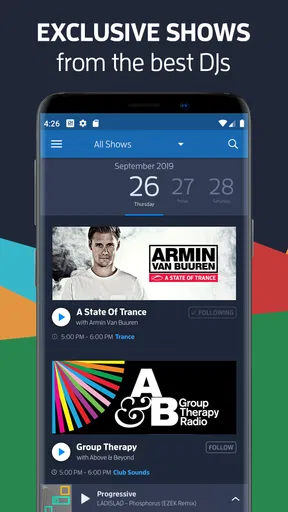
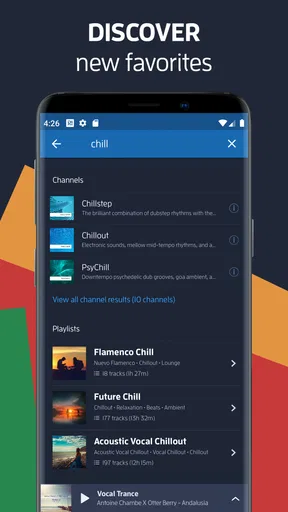
 Analysis by AppCompare
I’m usually happiest with music apps when they get me listening quickly, without making me build a playlist before I know what I’m in the mood for. That’s the appeal of DI.FM: Electronic Music Radio: it treats electronic music as a set of stations to dip into, rather than a library I have to curate track by track. When I want a steady sound for a commute, a stretch of focused work, or a quiet evening, that radio-first approach feels refreshingly direct.
Where the first listen can get stuck
The main adjustment is understanding that this is radio, not quite the same experience as choosing a particular album or assembling a queue of individual songs. You pick a station and let its programming set the direction. That is convenient when I want a continuous mood, but less satisfying if I have a very specific track in mind or want total control over what plays next.
Genre names can also be a small hurdle if you are new to electronic music. Trance and house are familiar starting points for many listeners, while narrower styles may take a little exploration before their differences make sense. I’d treat the station list as a way to discover moods, not a test of how well you know genre labels: try a couple of options and notice which one suits the moment.
That exploratory quality is a strength, but it does mean the first station may not be an instant match. Rather than giving up after one choice, I’d switch once or twice and give each station time to establish its sound. The point is less to find a perfect track immediately and more to land on a stream that works as a backdrop.
Diving into DI.FM
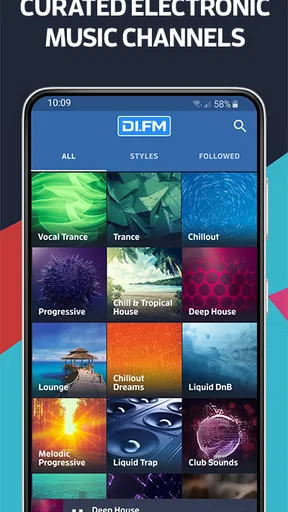
What makes DI.FM stand out is its sheer diversity. It’s not just about playing the latest hits you’d hear at your local club, it’s like having a personal DJ who knows your taste better than you do. Seriously, the range of electronic music genres covered is mind-blowing. From trance and techno to niche subgenres like psybient and chillstep, this app has it all.
Setup checks that save time
DI.FM is a free music and audio app from Digitally Imported Inc, and its station-based format is easy to understand once you start listening. Before settling in, I’d check that the phone has a dependable internet connection and enough battery for the kind of session I’m planning. Streaming music continuously can be a poor fit for a weak connection or a long trip when I’m trying to conserve mobile data, so it’s worth thinking about those basics before pressing play.
The app is rated Teen, has a 4.4 average from around 98,000 ratings, and has been installed over 5 million times. Those figures suggest it has found a substantial audience, though they can’t tell you whether its particular mix of stations suits your ears. The current version is 6.4.0.12510 and it requires Android 6.0 or later. It is free to start, with in-app purchases ranging from $0.99 to $89.99 per item, so I’d look carefully at the options presented in the app and decide whether any paid extras matter to my listening habits rather than assuming I need them.
Worth Reading Before You Choose

Flipboard Shows What News Apps Must Do Beyond the Feed

Switching to Android Auto Means Rethinking Your Driving Routine

Google Calendar Makes a Crowded Week Easier to Manage

Ludo King Makes the Most of the Minutes Between Plans

Baby Panda World Brings Quick Play to Modern Phones, but Its Game Library Feels Busy

ESPN’s Live Game View Makes Following Close Games Easier
Interface and Usability
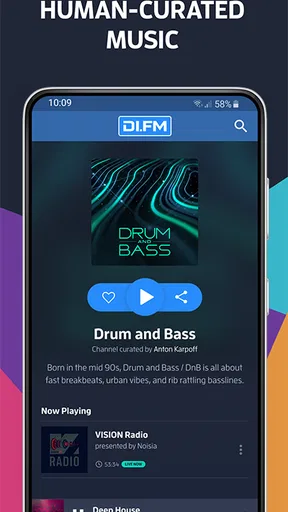
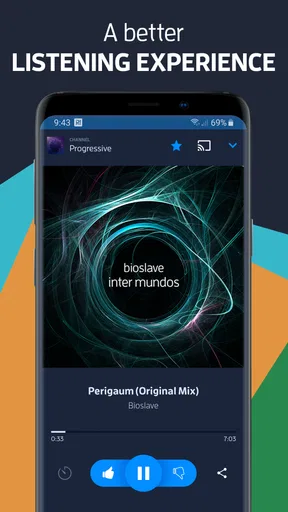
First impressions matter, right? The user interface here is sleek and intuitive. Everything’s laid out in a way that feels natural. You can easily switch between channels, explore new genres, or just let the app surprise you with a random pick. It’s like they knew I didn’t want to waste time navigating when I could be listening instead.
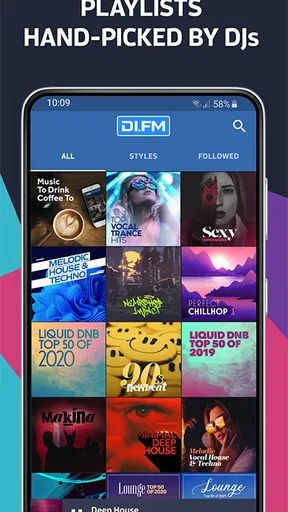
One thing I absolutely love is the way playlists are curated. They’re designed to flow seamlessly, giving you that ‘live DJ set’ vibe. It’s perfect for those long work sessions or when you’re just chilling at home.
For a practical routine, I’d choose a familiar station for concentration and save genre exploration for a break. That separates background listening from active discovery: I’m less likely to interrupt a useful work rhythm by hopping between styles, yet I still get to try something new later. If a stream stops or behaves erratically, I’d first check the connection, then close and reopen the app, and finally try another station. That simple sequence helps distinguish a one-off interruption from a broader playback problem without turning troubleshooting into a project.
Features That Hit the Right Note
Alright, let’s talk features. The app offers both free and premium options. If you’re okay with ads, the free version does a decent job. But if you’re a die-hard fan, the premium version is where the magic happens. No ads, higher quality audio, and the ability to skip tracks are some perks that are totally worth it.
The offline listening feature is a lifesaver, especially if you’re on the go and don’t want to burn through your data. Just download your favorite sets and you’re good to jam out anywhere, anytime.
For anyone weighing a paid option, I’d make the decision based on a real listening week rather than a vague promise to use it more. Notice whether ads interrupt sessions, whether you genuinely want higher audio quality, and how often you want to skip. If those needs rarely come up, the free route may be enough. If they repeatedly break the way you listen, a paid choice may make more sense. The practical trade-off is between keeping things simple at no cost and paying for conveniences that matter to your own routine.
When playback trouble may not be the app
A radio stream depends on more than the app itself. If sound cuts out during a journey, a weak or changing network connection is a reasonable first suspect; if it happens only in one place, I’d test again somewhere with a steadier connection before blaming the station. If the audio is quiet or missing, I’d also check the phone’s volume and output selection, especially after switching between speakers and headphones.
When a problem persists, I’d make one change at a time: reconnect, reopen the app, then compare another station. If other audio apps also struggle, the issue may be with the device or connection rather than DI.FM. If only one station seems affected, changing stations is a useful workaround while I try again later. This is ordinary troubleshooting, not a guarantee that every interruption has the same cause.
Community Vibes
Another cool aspect is the community feel. There’s something about knowing that others are vibing to the same beats as you are. Plus, their blog and social media channels keep you in the loop with the latest in the electronic music scene.
That shared-radio feeling is different from listening alone to a personal playlist: there’s less sense that every choice was made specifically for me, but more room to stumble into a sound I wouldn’t have picked deliberately. I find that most useful when I’m open to being surprised. If I’m trying to hear a particular artist or maintain a tightly ordered set of songs, a conventional on-demand music service is likely the better tool.
Who will enjoy the station format
I’d recommend this app most to listeners who already enjoy electronic music and want a steady stream without repeatedly choosing the next track. It also suits curious newcomers who are willing to sample styles and let a station introduce them to a broader range of sounds. A realistic use is starting a house stream while getting ready in the morning, keeping it on during a commute, and switching to something calmer at home without having to assemble separate playlists for every part of the day.
On the other hand, I’d steer away from it if precise song selection, a personal library, or a carefully ordered queue is the main reason you use music apps. Radio is less predictable by design. Someone who listens across many unrelated genres may also prefer a broad on-demand service, while a listener devoted to electronic styles may value DI.FM’s focused station approach more than a general catalog. The right choice depends on whether discovery and continuity matter more to you than control.
Why It’s Worth Your Time
In a world flooded with music apps, DI.FM holds its ground by offering something truly special. It’s not just an app; it’s an experience. Whether you’re a casual listener or a hardcore EDM fan, there’s something here for everyone. The sheer depth of content and the quality of curation are just top-notch.
If you’re ready to explore a world of electronic music or simply want to level up your listening game, I highly recommend giving this app a spin. Trust me, your ears will thank you!
My practical verdict
I see DI.FM as a focused companion rather than a replacement for every music app. Its strength is making it easy to settle into electronic music without planning a session in advance; its limitation is that a station cannot offer the same song-by-song certainty as an on-demand library. I’d start with the free experience, try several stations in different situations, and pay only if the available extras solve a recurring annoyance.
For me, the best reason to keep it around is that it turns a spare moment into an effortless listening session. If that sounds like your kind of music habit, it is well worth trying. If you mainly want to search for exact tracks and control every transition, another style of music service will probably fit better.
Pros
- Wide variety of electronic music channels.
- High-quality audio streaming available.
- User-friendly and intuitive interface.
- Customizable playlists for personal taste.
- Ad-free experience with premium subscription.
Cons
- Limited offline listening options.
- Free version includes ads.
- Some channels require premium access.
- No social sharing features integrated.
- Limited genre discovery for new users.
FAQs for DI.FM: Electronic Music Radio
What is DI.FM: Electronic Music Radio?
DI.FM is a dedicated streaming service for electronic music enthusiasts. It offers a wide range of curated channels featuring various sub-genres such as trance, house, techno, and more. Users can enjoy high-quality music streams and discover new tracks tailored to their tastes, making it a go-to app for electronic music lovers.
Is DI.FM available for both Android and iOS devices?
Yes, DI.FM is available for download on both Android and iOS platforms. Users can easily find it on the Google Play Store or Apple App Store. The app is designed to provide a seamless music streaming experience across different devices, ensuring accessibility and convenience for all users.
Does DI.FM offer a free version, and what are the benefits of upgrading to premium?
DI.FM offers a free version with access to a variety of music channels, but it includes advertisements. Upgrading to the premium version removes ads and provides higher audio quality, offline listening options, and access to exclusive content. This enhances the overall user experience, making it worthwhile for avid listeners.
Can I customize my listening experience on DI.FM?
Yes, DI.FM allows users to customize their experience by selecting from a wide array of channels based on their preferred electronic music sub-genres. Users can also create personalized playlists and save favorite channels for quick access, ensuring a tailored listening experience that matches individual tastes.
What are the system requirements to run DI.FM smoothly on mobile devices?
To run DI.FM smoothly, Android users need version 5.0 or above, while iOS users require version 11.0 or later. A stable internet connection is essential for uninterrupted streaming. Ensuring your device meets these requirements will provide an optimal experience when using the app.


